
Creating consistent, engaging content shouldn’t feel like a daily struggle.
Yet for most small businesses and freelancers, keeping up with social media, blogs, emails, and digital marketing demands can feel overwhelming. In fact, according to a HubSpot 2024 report, 63% of marketers say their biggest challenge is having enough time and resources to create consistent content.
But here’s the good news: ChatGPT can change everything.
In this blog, we’ll walk you through exactly how to use ChatGPT to create a content calendar, automate your planning, and stay ahead of schedule all without burning out.
This guide is perfect for personal brands, freelancers, entrepreneurs, and small businesses. It shows how to use AI tools for content strategy in 2026 and beyond.
What is a Content Calendar?
A content calendar is a strategic, scheduled roadmap of your upcoming content. It answers the questions: what will be posted, when, where, and why.
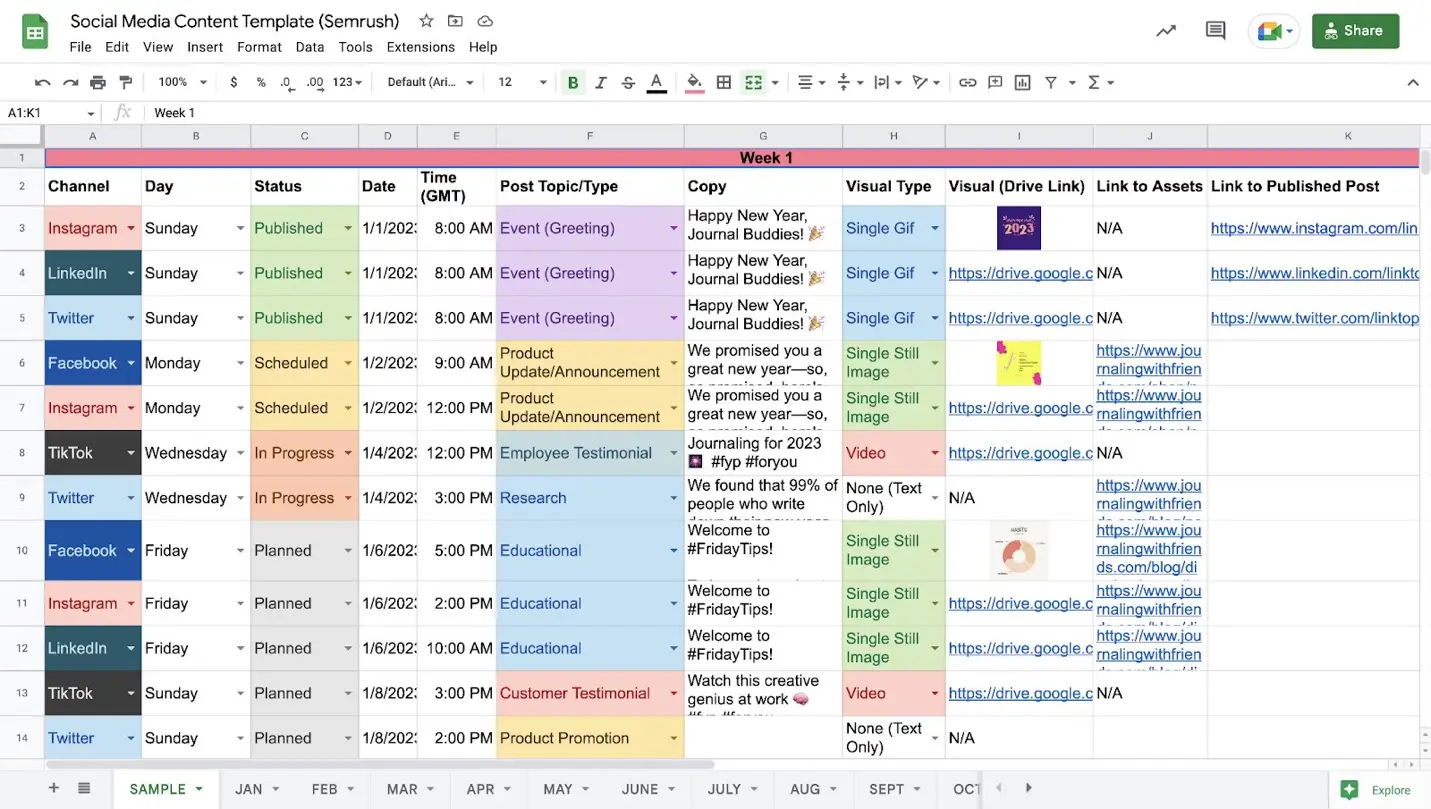
Whether you’re planning Instagram reels, blog articles, YouTube videos, or email campaigns, your content calendar ensures everything works together to build your brand voice and hit marketing goals.
It helps eliminate guesswork, reduces last-minute scrambling, and provides a clear view of your long-term digital marketing efforts. Plus, it encourages consistency, which is one of the most important factors in audience engagement and growth.
With the help of AI tools like ChatGPT, you can build an optimized plan that saves time and multiplies your visibility across platforms.
3 Reasons to Use ChatGPT for Your 2026 Content Calendar
1. Speed and Efficiency
Manually brainstorming content ideas can take hours. But ChatGPT can generate content ideas for small businesses within seconds, from reels to full blog outlines. It can process industry trends, audience pain points, and competitor insights; all from a simple prompt.
2. Consistency Without Burnout
Consistency builds trust, but burnout kills it. Using AI content calendar strategies in 2026 ensures you always have a bank of ideas ready. You can stay consistent without spending your weekends brainstorming or burning out trying to stay creative every single day.
3. AI-Powered Personalization
With the right ChatGPT prompts, you can tailor your content to different platforms, audiences, and brand tones. Want a witty LinkedIn post and a more visual Instagram caption? Ask for both. ChatGPT adapts quickly when given context.
How to Use ChatGPT to Create a Content Calendar
Here’s a basic workflow using ChatGPT for social media content planning:
- Start with Your Goals – What do you want to achieve? More leads? Brand awareness? Newsletter signups? Be clear.
- Define Your Content Buckets – Group content into themes like testimonials, how-to guides, behind-the-scenes, educational content, etc.
- Input a Prompt in ChatGPT – For example: “Create a 30-day content calendar for a service-based business that targets solopreneurs.”
- Review and Refine – ChatGPT gives a great starting point, but you should tweak the content for tone, trends, and brand alignment.
- Distribute Strategically – Assign each post to its ideal platform, Instagram, your blog, a newsletter, etc.
- Repurpose with Intention – Turn a carousel into a Reel, or blog insights into email copy.
This workflow helps you generate a full content calendar with ChatGPT in minutes, freeing up your time for strategy and client work.
How to Write Better ChatGPT Prompts for Content Planning
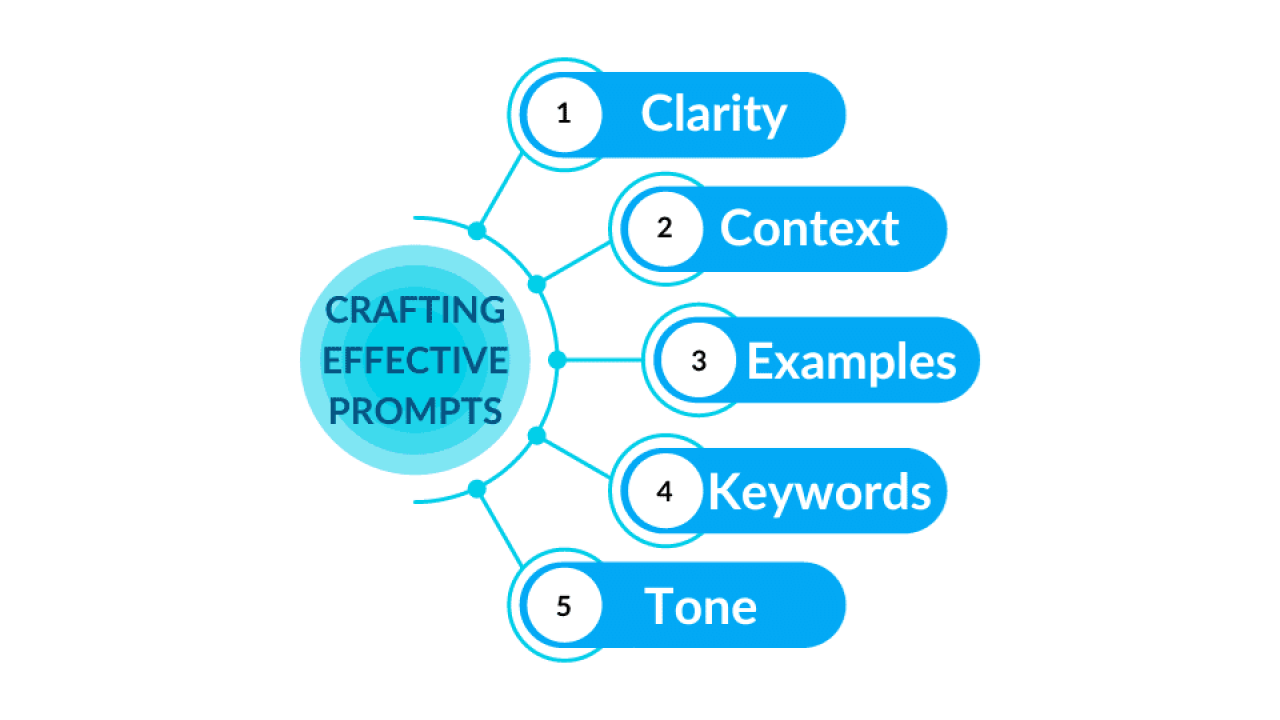
To get the most out of ChatGPT, you need to master prompt writing. Here’s how:
- Be Specific: “Create a content calendar for a freelance graphic designer targeting startups.”
- Include Your Business Goal: “I want to grow my audience and generate leads.”
- Mention Tone and Format: “Use a friendly and professional tone. Return results in a 30-day table format.”
Try variations until you find what works best. Great prompts are the foundation of an effective AI content calendar strategy for 2026.
Maintaining Brand Voice and Consistency
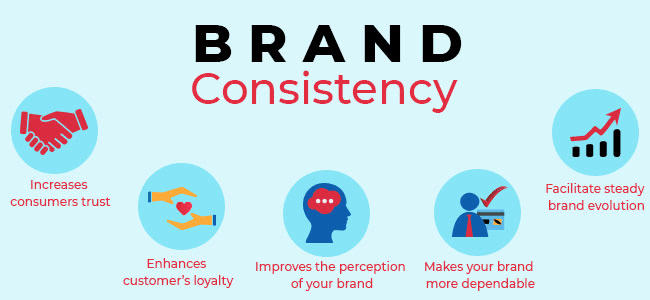
Using AI doesn’t mean losing your brand’s voice. In fact, it’s a great tool to maintain it.
When prompting ChatGPT, include:
- A sample of your previous captions
- Brand tone preferences (e.g., casual, bold, informative)
- Audience type (e.g., startup founders, busy moms, agency owners)
Over time, you’ll notice that ChatGPT can mirror your unique style more effectively, allowing you to stay on-brand across platforms with minimal edits.
Must-Have Requirements for a Content Calendar
An effective calendar is more than a list of topics. It’s a strategic tool that guides your marketing.
Here’s what to include:
- Date & Time
- Platform (Instagram, LinkedIn, etc.)
- Content Type (Reel, carousel, blog)
- Theme or Category
- Caption Draft or Main Talking Point
- CTA (Call-to-action)
- Graphic or Visual Asset Needed
This detailed structure allows for seamless handoffs if you’re working with a VA or designer.
My Original Prompt for ChatGPT to Create a Content Calendar
Here’s the exact prompt I use:
“Create a 30-day social media content calendar for a service-based business that helps small business owners with branding and design. Include a mix of educational, engaging, promotional, and storytelling posts in a table format with platform suggestions.”
Feel free to tweak this to match your industry, goals, and voice.
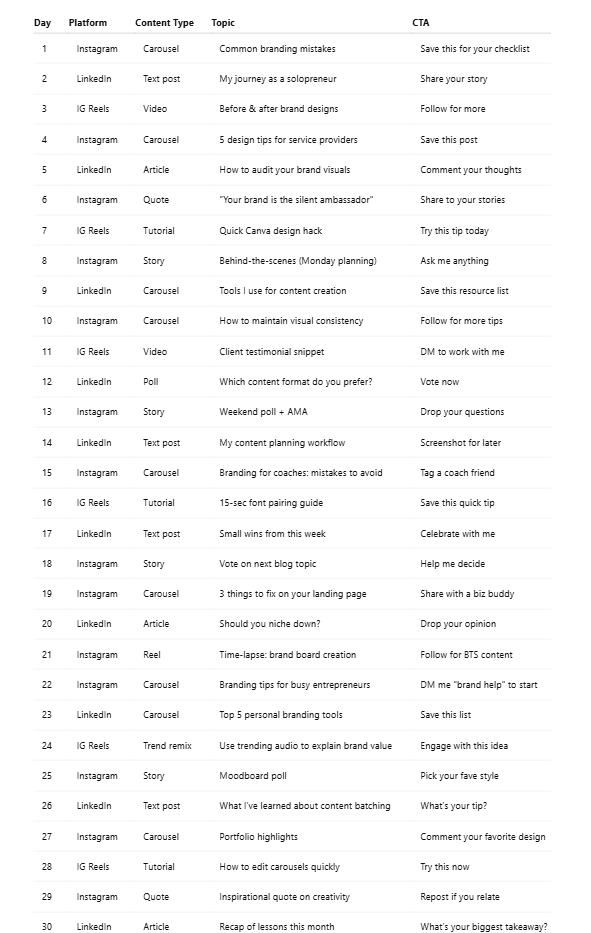
My Full 30-Day Content Calendar with ChatGPT
If you’re wondering what a complete content calendar powered by ChatGPT actually looks like, here it is!
This sample schedule includes a balanced mix of educational, promotional, engaging, and storytelling posts across Instagram and LinkedIn. It’s built with real strategy, tailored prompts, and audience psychology in mind.
You don’t need to reinvent the wheel, just use this as your starting point and adapt based on your niche, goals, and voice. Let’s break it down:
Final Thoughts: Don’t Let Inconsistency Kill Your Visibility
If content creation keeps falling off your to-do list, you’re not alone. Most businesses struggle with consistency, not capability.
But now you have a clear, scalable system to change that.
Using ChatGPT to create a content calendar doesn’t just save time, it creates clarity, flow, and momentum. Whether you’re building a brand from scratch or scaling a side hustle, this system works.
So here’s your next move:
– Copy the prompt above.
– Feed it to ChatGPT.
– Build your 30-day content calendar and watch your visibility & engagement multiply 2x.
Need help building a full content strategy? Book a 1:1 clarity session or DM us for free AI Content Calendar Template.
Don’t let inconsistency cost you growth. Let your content work for you on autopilot!
FAQs
1. Can ChatGPT really help me plan a content calendar?
Yes. With the right prompts, ChatGPT can generate content ideas, organize them by day/platform, and help you visualize your calendar.
2. How often should I update my content calendar?
Ideally, plan monthly or quarterly. But revisit weekly for minor updates or trending topics.
3. What platforms work best with a ChatGPT-planned calendar?
Instagram, LinkedIn, TikTok, Pinterest, and even email newsletters benefit from a planned approach.
4. What’s the biggest mistake when using AI for content planning?
Relying solely on AI. Always customize the ideas and keep your human insight in the loop.
5. Can ChatGPT help with hashtags and captions?
Yes! You can ask ChatGPT to write SEO-rich captions and generate relevant hashtags for any niche.
6. How can I automate the posting part?
Pair ChatGPT with tools like Buffer, Metricool, or Hootsuite to auto-schedule posts.
7. Does this method work for freelancers and personal brands?
Absolutely. In fact, how freelancers use ChatGPT for content planning is one of the most efficient use cases for AI.